뒤로


Jihwan
·
CI/CD에 대해 공부해보자 - 2. Testing
저번 포스트에서 github action이 뭔지 다루었으니까, 이번에는 직접 사용을 해보려고 노력을 해보도록 하겠다.
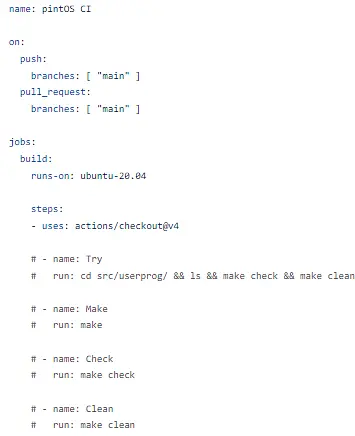
학교 os수업 시간에 pintOS라는 어마무시무시하고, 사람을 무기력하게 만들고, 정신이 나가게 하는 과제를 하고 있는데, 그러면 이것도 action을 사용해서 make check를 돌려서 test를 해 볼 수 있지 않을까? pintOS에 대한 포스트는 project3부터 올려야겠다 (이미 해버려서..)
교수님이 주신 project 2 답지 파일로 해보겠다
일단 해보자!
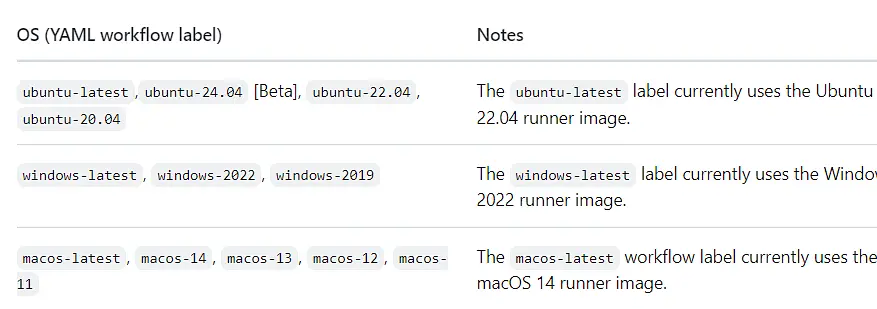
사용할 수 있는 os version은 여기에 있다(출처: github 공식 홈페이지)
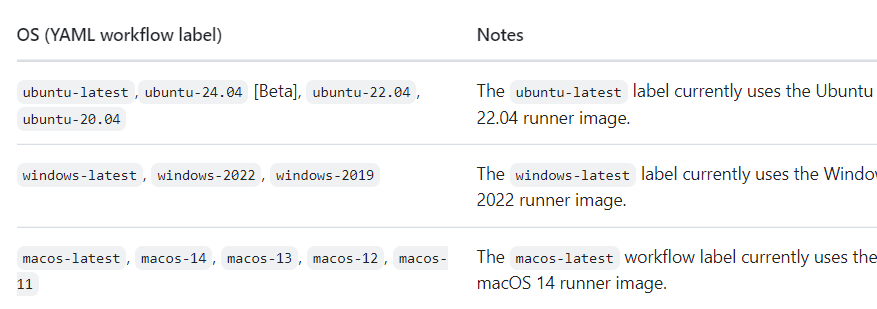
우리 과제는 ubuntu 14.04를 쓰고 있지만.. 일단 20.04로 해보겠다.

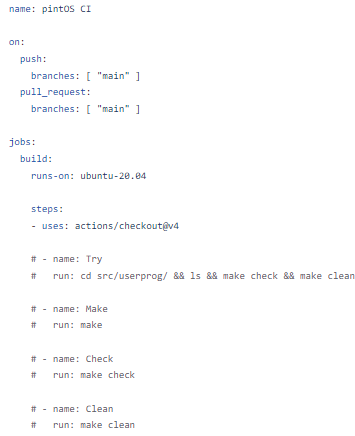
추가로 cs50이라는 하버드 강의에도 CI/CD에 대한 내용이 있었다(cs50). 이제 Django test.py를 작성해보자!
from django.test import TestCase, Client
from django.contrib.auth.models import User
from django.urls import reverse

class AuthTests(TestCase):
    def setUp(self):
        self.client = Client()
        self.username = 'testuser'
        self.password = 'testpassword123'
        self.user = User.objects.create_user(username=self.username, password=self.password)

    def test_login_view(self):
        response = self.client.get(reverse('question:index'))
        self.assertEqual(response.status_code, 200)

        login_data = {
            'username': self.username,
            'password': self.password,
        }
        response = self.client.post(reverse('question:index'), data=login_data)
        self.assertEqual(response.status_code, 302)  # Redirects to 'question:main'
        self.assertRedirects(response, reverse('question:main'))

        # Check if the user is authenticated
        user = response.wsgi_request.user
        self.assertTrue(user.is_authenticated)

    def test_login_invalid_credentials(self):
        login_data = {
            'username': self.username,
            'password': 'wrongpassword',
        }
        response = self.client.post(reverse('question:index'), data=login_data)
        self.assertEqual(response.status_code, 200)
        self.assertContains(response, 'Invalid credentials')

        # Check if the user is not authenticated
        user = response.wsgi_request.user
        self.assertFalse(user.is_authenticated)

    def test_logout_view(self):
        self.client.login(username=self.username, password=self.password)
        response = self.client.get(reverse('question:logout'))
        self.assertEqual(response.status_code, 302)  # Redirects to 'question:index'
        self.assertRedirects(response, reverse('question:index'))

        # Check if the user is logged out
        user = response.wsgi_request.user
        self.assertFalse(user.is_authenticated)

    def test_signup_view(self):
        signup_data = {
            'username': 'newuser',
            'password': 'newpassword123',
            'password_confirm': 'newpassword123',
        }
        response = self.client.post(reverse('question:signup'), data=signup_data)
        self.assertEqual(response.status_code, 302)  # Redirects to 'question:index'
        self.assertRedirects(response, reverse('question:index'))

        # Check if the new user is created and authenticated
        user = User.objects.get(username='newuser')
        self.assertIsNotNone(user)
        self.assertTrue(response.wsgi_request.user.is_authenticated)

    def test_signup_password_mismatch(self):
        signup_data = {
            'username': 'newuser',
            'password': 'newpassword123',
            'password_confirm': 'differentpassword',
        }
        response = self.client.post(reverse('question:signup'), data=signup_data)
        self.assertEqual(response.status_code, 200)
        self.assertContains(response, 'Passwords do not match')

        # Check if the user is not created
        with self.assertRaises(User.DoesNotExist):
            User.objects.get(username='newuser')
간단하게 login기능을 구현해주는 test를 짜고
name: Django Tests

on:
  push:
    branches:
      - test
  pull_request:
    branches:
      - main

jobs:
  test:
    runs-on: ubuntu-latest

    steps:
    - name: Checkout code
      uses: actions/checkout@v4

    - name: Set up Python
      uses: actions/setup-python@v4
      with:
        python-version: '3.11'

    - name: Install dependencies
      run: |
        python -m venv venv
        source venv/bin/activate
        pip install django

    - name: Change directory
      run: |
        source venv/bin/activate
        python -m pip install Pillow
        cd SOS
        python manage.py makemigrations question
        python manage.py migrate
        python manage.py test
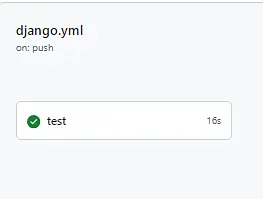
test branch에 push 해줄 때마다 test가 작동되게 yml파일도 썼다
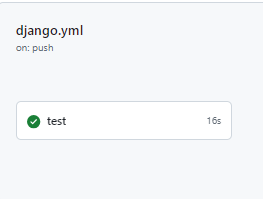
이제 추가적인 test와 CD에 대해서는 다음 포스트에..
1
댓글
로그인 후 댓글을 남길 수 있습니다.
아직 댓글이 없습니다.